
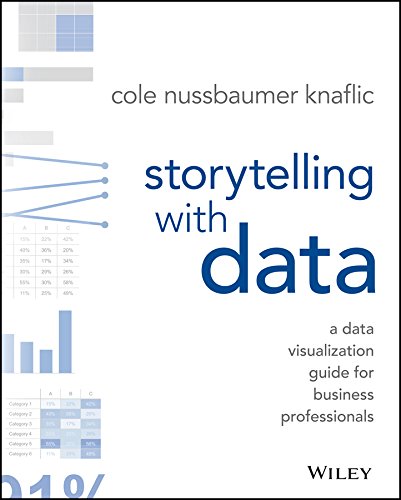
Storytelling with Data Do you know if people are reading your written reports? Or any other written communications from you? The questions today are “Are your work reports readable?” And, ” Do you create readable documents?”
I ask the questions because of an experience that I had, which made me seriously think about how to create readable documents.
Introduction: How to Create Readable Documents
 Unreadable Work Documents

A few years ago, I was working on a project, and information was sent to me in several emails. Before working on the project, I copied the emails into one Microsoft Word document. I also received two attachments, one of them was a PDF document. I did what I usually do with projects, is to read through all the information.
But for some reason, I just couldn’t absorb the information in the PDF document. I felt like it was information overload. Time was passing and the deadline for the project was looming. I was having a hard time reading the document.
It occurred to me to read the document very slowly, copying and pasting the important information into a new Microsoft Word document. And you know what, when I read the Word document I absorbed the information with ease.
At 3:00 am one morning, I suddenly woke up, and it hit me. The reason I had problems reading and absorbing the PDF document, was that it was unreadable. It was only a 3-page document. But the first page, which had most of the information I needed, 9/10 of the page was one huge block of text.
No paragraphs. Very long sentences. There was no white space. There were no bullet points, headings or subheadings. No images. The document was uninviting. The only reason I attempted to read it, was because I had to do it to work on the project.

The insight that came to me at 3:00 am in the morning, was that I must learn to make my blog posts more inviting. So that readers feel at home. I have to make them easier for readers who like to skim content. In other words, I have to make them readable.
Unreadable Books/eBooks
A few months prior to working on the project, I was trying to read a print book on The Grand Tour. I couldn't absorb the information, so I abandoned the book. Looking back now, the problem was exactly the same as above. The writer had huge chunks of information without enough white space. The sentences and paragraphs were also too long.
The text wasn't inviting, so I had problems reading the book. I was reading the book for my information because I wanted to learn as much as I could about The Grand Tour. Since it was not a work-related project, I decided not to read the book.
Other Things That Affect the Readability of Your Document
Additionally, another thing that affects my reading experience, that I have noticed over the years, is a document filled with errors. It's unlikely that your documents will ever be free of grammar and spelling mistakes. But it's important to edit them.
Create Readable Documents: Layout of Your Document
There are a few ways that you can improve the look and feel of your documents, making it easier for others to absorb. The following are things you can easily do to emphasize the readability and impact of your message.
Have you read?
The Power of Visual Storytelling by Ekaterina Walter and Jessica Gioglio – Book Review
It’s about storytelling:
Every piece of content tells a story. What story are you trying to tell with your words? To make sure that you convey the intended message, display your content in an organized and logical manner. Make it clear what you would like your reader to do. And walk them through the steps to get there.
The Power of Visual Storytelling: How to Use Visuals, Videos, and Social Media to Market Your Brand

Use of white space:
Do not narrow the margins of your documents, so you can cram more information on a page. Have enough white space or blank lines between paragraphs and sections in your document.
Justify only the left margin:
When the right margin looks ragged, it is much easier to read. Some professionals like to align both right and left margins because it looks clean. But it’s harder on the eyes to read.
Use of pictures, graphs, and tables:
Heard the phrase that a picture is worth a thousand words? Images break up the text. But the right images that complement the written word, make your writing more powerful.

The right graph and tables get your point across much quicker than the written word. And images can bring your documents to life.
Bullets and numbered lists:
Bullets and numbered list force you to be concise. Therefore, they enhance the readability of your document. They also add white space to your document. When creating a list, summarize the point you want to make. I add this because it’s something I need to learn to do more of. Numbered lists are great when you have to prioritize information.
Word emphasis is important:
There are times when the use of bold, CAPS, and italics, will make an idea stand out in your writing. But don’t overdo it because your writing will become distracting.
Use legible fonts:
Scripts fonts are hard on the eyes. Font-sizes that are too large or too small are also hard on the eyes. A 12-point font is preferable, although I use 11-point because I love Trebuchet, but it’s a larger type of font, so it works. Do not use more than one type of font in your document. Standard practice is to use one type for headings and subheadings, and another for the body of the document.
Headings and subheadings:
This is something I’ve been doing more of to make my blog posts more readable, and ideal for skim readers. I learned this in a blogging course that I took. It was very difficult at first. However, I’m getting much better at it. Headings and subheadings are great for separating ideas. And they allow readers to quickly scan the content to see what it’s about. Therefore, take some time to use appropriate and punchy names for your heading and subheadings.

Edit Yourself to Create Readable Documents
- Use the active voice. When you use the active voice, your writing is more concise. I feel that it adds energy to your writing, but that’s just my take.
- Shorten your sentences. Average sentence length should be 18 words. Only one idea in each sentence.
- Use a spell and grammar checker. Do this for your first level of editing, then slowly read through your document. Remember, a spell and grammar checker is not foolproof.
- Draw in your reader with your opening statement.
- Avoid jargon and clichés whenever possible.
Edit Yourself: A Manual for Everyone Who Works with WordsSeveral Short Sentences About Writing


Final Thoughts on How to Create Readable Documents
There are several things that you can easily do to create readable documents. If you used a few of the tips above, your readers will see a difference in the documents that you create. I have included some books that will help you to create documents that people will want to read. All the books are ones that I have read.
Note: If you click on a link and buy something, Amazon will pay me a small commission! UPDATE: First published February 2017.
